
A component that combines a button or editable field and a drop-down list. The user can select a value from the drop-down list, which appears at the user's request. If you make the combo box editable, then the combo box includes an editable field into which the user can type a value.
combotest1.java
import java.awt.*;

import java.awt.event.*;

import javax.swing.*;

class combotest1 extends JFrame implements ComponentListener

{

JComboBox box;

combotest1()

{

Container c=this.getContentPane();

c.setLayout(new FlowLayout());

box=new JComboBox();

box.setToolTipText("Combo Box");

box.addItem("Apple");

box.addItem("Mango");

box.addItem("Orange");

box.addItem("Banana");

box.addItem("Guava");

box.setBounds(60,20,80,20);

this.addComponentListener(this);

c.add(box);

setResizable(false); //not resizable

setLocation(400,250);

} //close of default constructor

public void componentResized(ComponentEvent e) { }

public void componentMoved(ComponentEvent e)

            {

                        this.setLocation(400,250);

            }

public void componentShown(ComponentEvent e)   { }

public void componentHidden(ComponentEvent e)              { }

public static void main(String args[]){

combotest1 obj=new combotest1();

obj.setVisible(true);

obj.setSize(200,150);

obj.setTitle("Combo Box");

obj.setDefaultCloseOperation(JFrame.EXIT_ON_CLOSE);

}

}
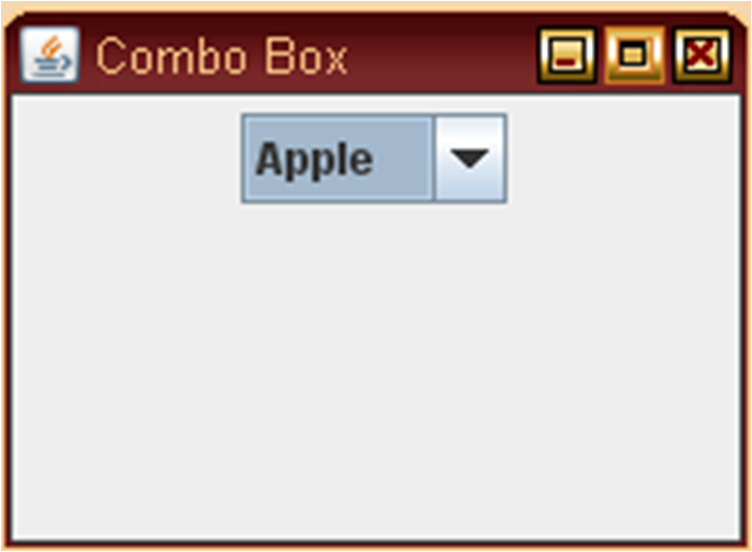
OUTPUT:-

No comments:
Post a Comment